
Speed trace
Sample drive · 62.4 km
186km/h top
0 km62.4 km
Performance driving, measured
TripRank runs quietly in the background of your car and hands you back the numbers: speed, G-force, sprint times, and how smooth you actually were through the last corner.

After the drive
Every trip comes back as a full telemetry sheet — no buttons pressed mid-drive. Here is what one evening run looks like.
Speed trace
Sample drive · 62.4 km
186km/h top
0–100 km/h
4.8s
Pulled from the GPS trace. No launch mode, no tapping.
Peak lateral
0.94G
Long right-hander, 3rd gear.
Drive Score
87/100
Hard brakes
6
Each one flagged and timestamped on the map.
Corners committed
41
Entry, apex, exit — scored for composure.
Sprint timers
0–100, 0–200 and the quarter mile, timed automatically from your GPS trace. Just drive — TripRank finds the run.
Sample runs · played at 3× speed
G-force radar
Four-axis G at 50 times a second. Braking, launch and cornering load drawn as one moving dot — the shape of how you actually drive.
→ Move your cursor or finger over the radar
Scoring
Pace, control and consistency for the whole trip, in one number.
How progressive your inputs were. The opposite of stabbing the pedals.
How composed you stayed under load — braking, commitment, recovery.
Driving DNA
Built from your whole trip history: how you accelerate, brake, corner and recover. It sharpens with every drive.
Beyond the phone
Speed and G-force on your car’s own screen while you drive. Eyes up, hands on.
Heart rate syncs into every trip, so the data matches what your body felt — not just what the GPS logged.
Privacy
Every trip has a visibility setting, and you hold the switch. Nothing is ever sold.
Anyone can see the trip, and it counts on leaderboards. Only people you follow back can see it. Only you. The trip stays off every leaderboard.
Public, friends only, or private — set per trip.
Private trips never appear in rankings.
Your driving data is not a product.
Record your first trip before you sign up.
Pricing
TripRank
Free
TripRank Pro
Pro
From the Journal
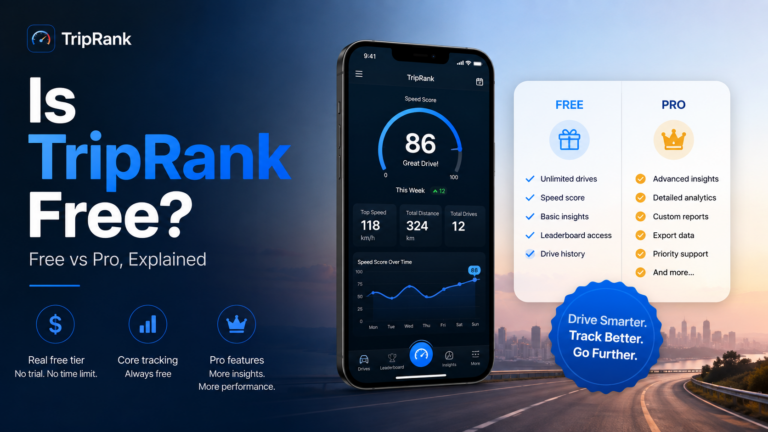
If you’ve searched “Is TripRank free?” — good news: yes, TripRank is free to download and use. You can track drives, log trips, and build a driving history…
The GT2 Stradale India price is reportedly Rs 5.72 crore ex-showroom. Get the Mumbai debut details, official specs and allocation facts.
The Malaysian MotoGP 2026 schedule puts Sunday's race at 3 p.m. in Sepang, or 2 a.m. EST. Check sprint times and the US clock change.

The project 25 car show is scheduled for November 1, 2026. Check reported hours, toy donations and conflicting venue details before travelling.
Your next drive
Free on iPhone and Android. No account required to record your first trip.