
GPS Speedometer
Real-time speed reading, tuned against GPS drift.
Full instrumentation
Four groups of features, one goal: an honest read on how you actually drive.
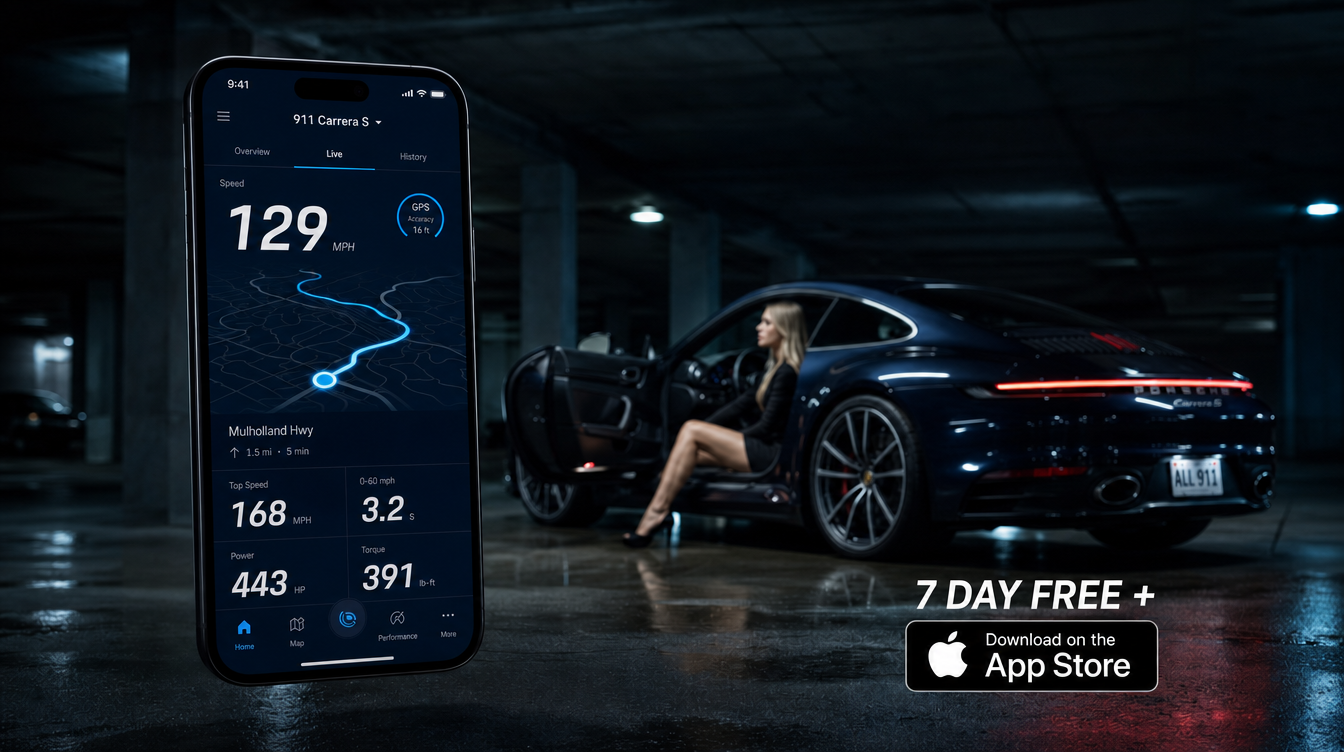
Live dash
Real-time speed reading, tuned against GPS drift.
Four-axis G readout at 50Hz — see braking, acceleration, and cornering load as it happens.
Speed and G-force pushed straight to your car's screen.
After the drive
0–100, 0–200, and 400m times, calculated automatically from your GPS trace.
A map of every route colored by how fast you were actually going.
Every hard stop and every committed corner, flagged and timestamped.
Scoring
A single number summarizing a trip's pace, control, and consistency.
Measures how progressive your inputs were — the opposite of stabbing the pedals.
How composed you stayed under load: braking distance, corner commitment, recovery.
Beyond the phone
Pulls in Apple Watch heart rate so your data reflects how the drive actually felt.
A quiet notification each week summarizing your driving — no gamified streaks.
A six-axis profile built from your trip history: how you accelerate, brake, corner, and recover.
Go deeper
The drive as your body read it, on the same timeline as the car.
Read more →
Every hard stop and committed corner, flagged and timestamped.
Read more →
The readout where a readout belongs — on the car's screen.
Read more →
How you drive, distilled from everything you've driven.
Read more →
Four axes at 50Hz — the load the car is actually carrying.
Read more →
Composure under load, measured rather than guessed.
Read more →
The readout at the center of every trip — live, fused, honest.
Read more →
Not how hard you drove — how progressively you got there.
Read more →
Routes colored by measured speed — patterns you can act on.
Read more →
0–100, 0–200, 400m — detected automatically, kept forever.
Read more →Your next drive
Free on iPhone and Android. No account required to record your first trip.