How does TripRank work? Start a trip and TripRank tracks your GPS position and speed the whole drive — even with no signal — then turns that raw data into live stats on the dash and a post-drive scorecard. Pro unlocks deeper aggregate stats and continuous heart-rate telemetry on top of that. Here’s the full walkthrough.
Step 1: Start a trip
Tap start and TripRank begins recording your GPS position several times a second. Recording runs entirely on GPS — no cell signal needed — and keeps going in the background if you switch apps.
Step 2: Live stats while you drive
Live Speedometer
Your real-time GPS speed on the dash, powered by TripRank’s Live Speedometer.
G-Force Radar
Braking, acceleration, and cornering forces, visualized live — part of the aggregate G-Force Radar (Pro).
Step 3: After the drive — your stats and scores
Smoothness Score
Every trip gets a free Smoothness Score, based on how smoothly you accelerated, braked, and cornered — no Pro required.
Speed Heatmap
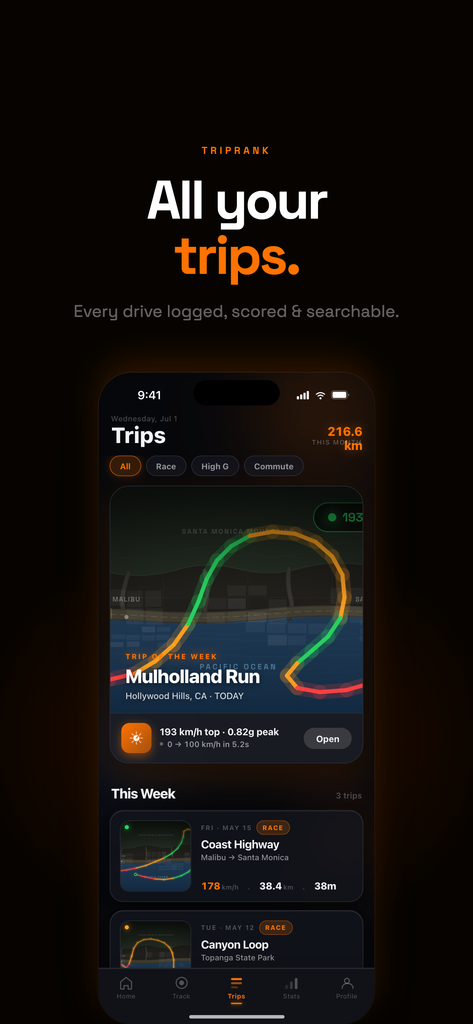
Your route, colored by speed band, free on every trip — see Speed Heatmaps.
Braking & Cornering Events
A Pro breakdown of hard-braking and cornering moments across your driving history — see Braking & Cornering Events.
Step 4: History and trends
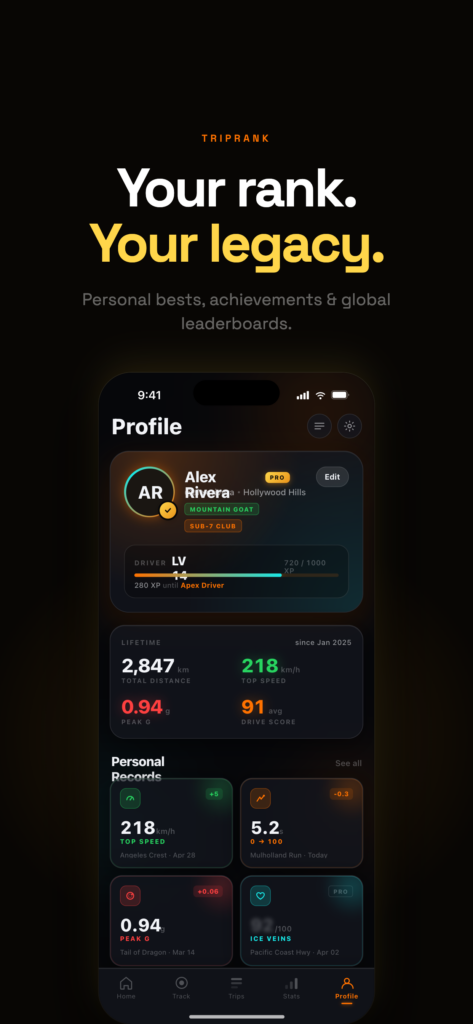
Pro’s Driving DNA rolls your drives into a six-axis profile — speed, G-force, smoothness, aggression, consistency, and efficiency — so you can see how your driving trends over time, not just per trip.
Pro unlocks
Beyond the aggregate stats above, Pro adds Ice Veins (continuous heart-rate telemetry via Apple Watch), unlimited trip history, the Mapbox map style, and data export. Full free-vs-Pro breakdown: is TripRank free?
CarPlay
TripRank’s CarPlay support is free on every plan — see it on the dash without picking up your phone.
FAQ
Does TripRank work without an internet connection?
Yes — trip recording is GPS-only and works fully offline.
Is TripRank free?
The core app — trip tracking, live speedometer, sprint timers, and per-trip Smoothness Score — is free. See is TripRank free? for the full breakdown.
What do I need to start?
Just an iPhone — download TripRank and start your first trip.
Bottom line
TripRank works by turning raw GPS data into a live speedometer, per-trip scores, and — with Pro — a deeper picture of how you drive over time. Curious what TripRank actually is first? Start with what is TripRank? Download TripRank to see it on your next drive.